![Opus1-3-icon-color-1.png]](https://kb.opus1.io/hs-fs/hubfs/Opus1-3-icon-color-1.png?height=50&name=Opus1-3-icon-color-1.png)
If two account managers need to share the cost of a student’s subscription, opus1.io allows you to split auto-pay charges 50/50 between two payers by adding a secondary payer to the student’s subscription.
Note that only one secondary payer can be added for each subscription and invoices can only be split 50/50.
Before you Begin
If one of the payers is not an account manager for the student, you'll first need to add them as an account manager. See "How to Link Dependents with their Account Managers" if you need help adding an account manager.
How to Split an Invoice Between Two Payers
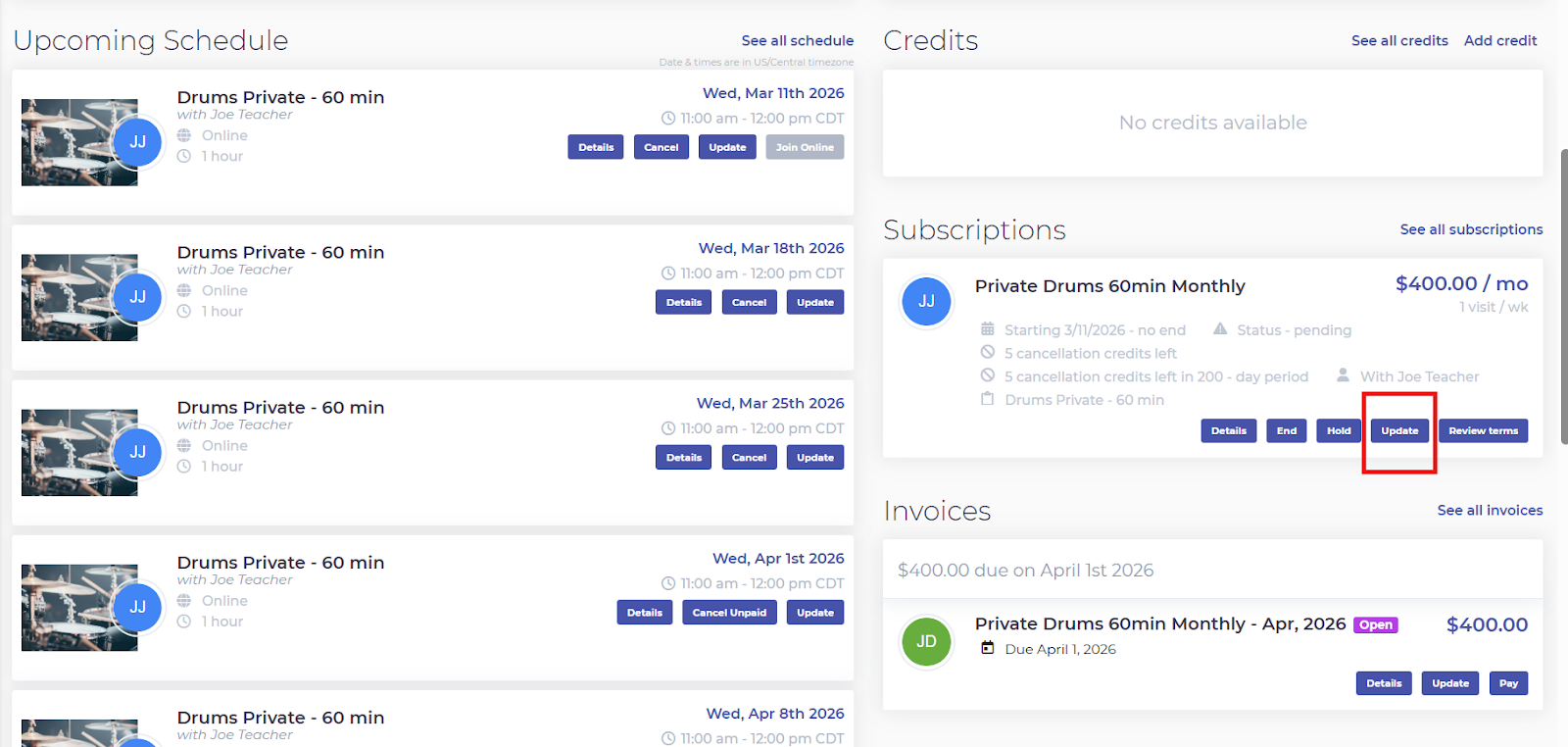
Navigate to the student's profile and click Update on their subscription:
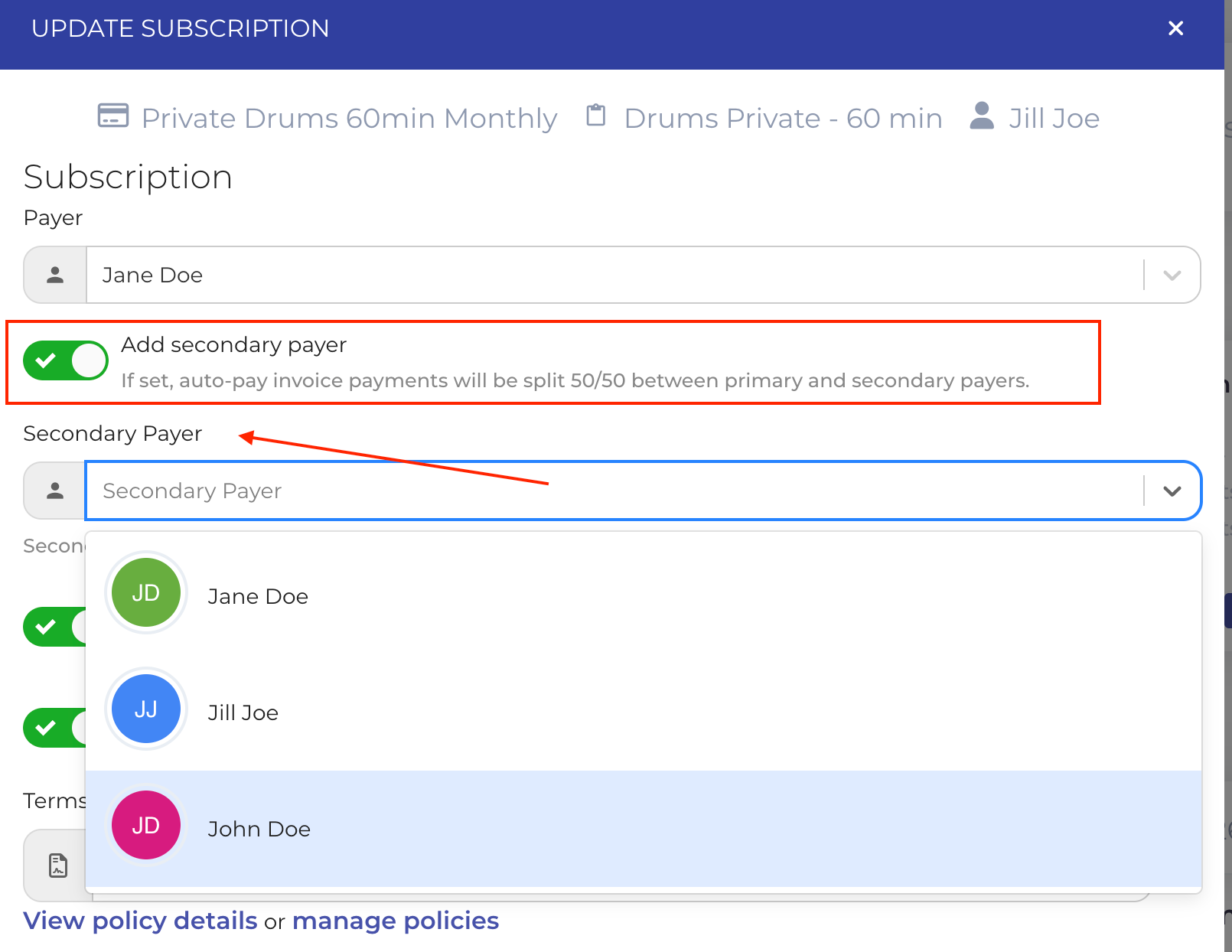
Enable the Add Secondary Payer toggle and choose the second payer from the dropdown menu below. The dropdown will display all of the available payers for that subscription:
Click Update when you're finished to finalize those changes.
What Happens After Adding a Secondary Payer
-
There will still be a primary payer on the subscription, which is the Payer
-
Only one invoice will be generated for the subscription and will be assigned to the primary payer
- Each month, the invoice will be split 50/50 between both payers and each will receive a receipt of payment for 50% of the invoice total